Introduction
Finding the Cheapest iPhone 14 256GB Unlocked model in good condition is not just about chasing the lowest price. It is about buying a phone that still feels fast, has a healthy battery, works on the carrier you want, and does not hide repair problems, Activation Lock issues, or weak parts history. Apple’s iPhone 14 is a 6.1-inch OLED phone with the A15 Bionic chip, MagSafe support, IP68 water and dust resistance, and up to 20 hours of video playback, so it can still be a strong everyday choice when the device is checked carefully.
That is why this guide is built for real buyers, not just spec readers. You will learn what “unlocked” really means, how to define “good condition,” what a fair price looks like in current listings, and how to inspect a used iPhone 14 before you pay. If your goal is to save money without inheriting someone else’s problem, this is the checklist that matters.
What This Search Really Means
When someone searches for the cheapest iPhone 14 256GB unlocked in good condition, they usually want three things at once:
- A lower price than retail.
- A device that is actually usable, not just cheap.
- A phone that works with their carrier and does not need expensive repairs.
That is why this keyword has strong commercial intent. The user is comparing options, not looking for a tutorial alone. Google’s own Search Essentials and helpful-content guidance reward pages that answer the actual user task in a clear, reliable way.
Is the iPhone 14 256GB Still Worth Buying?
Yes, for many buyers it still makes sense. Apple lists the iPhone 14 with a 6.1-inch Super Retina XDR OLED display, A15 Bionic chip, dual-camera system, Face ID, MagSafe wireless charging up to 15W, and up to 20 hours of video playback. For everyday use like social media, photos, calls, maps, and messaging, it remains a very capable phone.
The 256GB version is especially useful if you keep many photos, 4K videos, offline music, app downloads, or work files on the phone. In used-phone shopping, storage matters because a higher-capacity model often holds value better and gives you more breathing room than 128GB. That is a practical buying advantage, not just a spec sheet detail.
What “Unlocked” Really Means
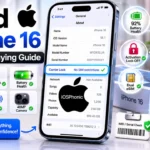
An unlocked iPhone is not tied to one carrier. Apple says you can check this in Settings > General > About. If “No SIM restrictions” appears next to Carrier Lock, the phone is unlocked.
That matters because an unlocked phone gives you flexibility. You can change carriers more easily, use local SIM options, and avoid the hassle of buying a phone that only works with one network. Apple also notes that this check is the key test when buying a pre-owned iPhone.
What Counts as “Good Condition”?
For a used iPhone 14, good condition should mean more than “it turns on.” A good-condition phone should have:
- A clean display with no major scratches or dead areas,
- A frame without serious dents or bends,
- Working Face ID,
- Normal touch response,
- A battery that still holds a useful charge,
- No carrier lock,
- And no hidden repair warnings in iOS.
Apple lets you check battery health in Settings > Battery > Battery Health & Charging on iPhone 14 and earlier, and on iOS 15.2 or later, you can also review Parts and Service History in Settings > General > About.
That is the most important point for buyers: a phone can look clean in photos and still be a poor deal if the battery is weak or the parts history is messy. Apple says the parts section may show messages such as Genuine or Unknown, and those details can matter for reliability.
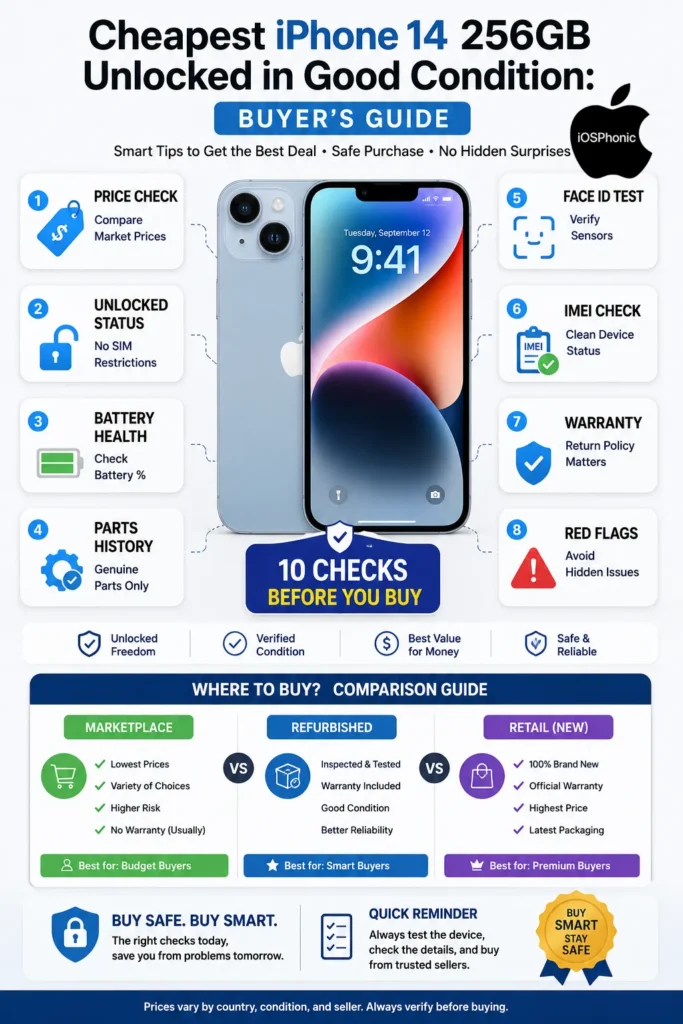
Real Price Snapshot: What the Market Looks Like Now
Here is a simple view of what current listings show in the market. These are examples, not fixed prices, because used-phone pricing changes by seller, battery health, warranty, and condition.
| Market | What the listings show | What it means |
| Pakistan marketplaces | Visible OLX results include iPhone 14 256GB listings around Rs 1.20 lac and other iPhone 14 listings near Rs 85,000 in the current results. | Price can swing a lot depending on PTA status, condition, and seller trust. |
| U.S. used/refurb market | Swappa’s visible listings for unlocked iPhone 14 256GB show examples around $292 to $370, often with battery-health notes and warranties. | “Good condition” has a price floor; very cheap listings often come with a weaker battery or a condition. |
| Refurbished storefronts | Back Market advertises unlocked iPhone 14 listings with a warranty and return policy, and Walmart restored listings describe like-new condition with 80% or higher battery life. | Certified refurbished options can cost more than casual marketplace deals, but they usually reduce risk. |
The lesson is simple: the cheapest listing is not always the best value. A slightly higher price is often cheaper in the long run if it includes a healthier battery, a return window, and a clearer device history.
Best Places to Buy an iPhone 14 256GB Unlocked
1. Marketplace Listings
Marketplace sites can be the Cheapest Route, especially if the seller is local and you can inspect the phone in person. But the risk is higher because listing quality varies, and many posts do not explain battery health, repair history, or lock status clearly.
2. Certified Refurbished Sellers
Refurbished sellers often charge more, but they usually add a warranty, return window, and testing process. Back Market highlights free returns and warranty terms, while Swappa listings often include battery-health notes and seller ratings.
3. Local Trusted Shops
A local trusted shop can be a good middle ground if they offer inspection, IMEI verification, and a return period. The key is not the label on the store; the key is whether they let you verify the device before buying.
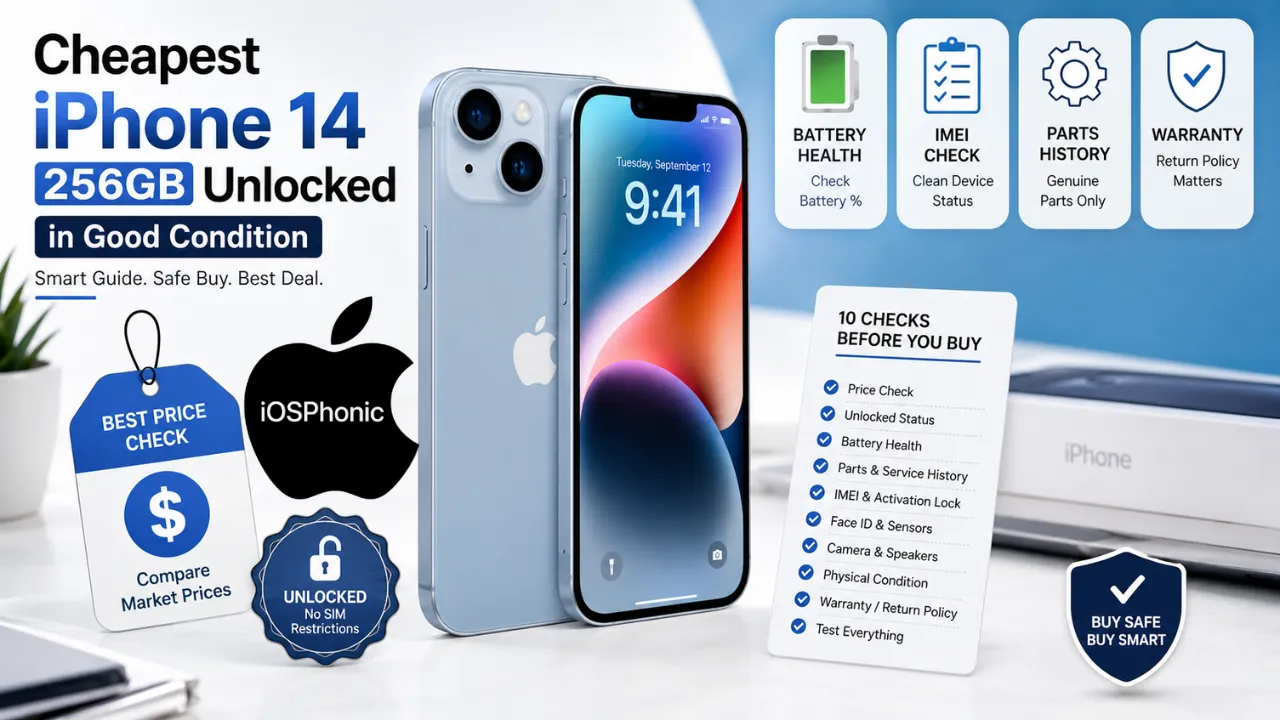
How to Check Before You Buy: The Full 10-Step Inspection
1. Confirm carrier lock status
Go to Settings > General > About and look for Carrier Lock. If it says No SIM restrictions, the phone is unlocked.
2. Check battery health
Open Settings > Battery > Battery Health & Charging on iPhone 14 or earlier. A weak battery may still work, but it lowers the value and often means future replacement costs.
3. Review Parts and Service History
On iOS 15.2 and later, check Settings > General > About for the parts history section. Look for what was replaced and whether the part is genuine.
4. Test Face ID
Set up Face ID or unlock the device several times. A broken Face ID system is a serious red flag because it can point to more serious front-sensor damage.
5. Inspect the display
Check for scratches, line defects, dead pixels, burn-in-like issues, and touch lag. A beautiful front glass photo does not guarantee the panel is healthy.
6. Test camera, speakers, and microphones
Open the camera app, shoot front and rear photos, record a short video, and play audio. These quick tests reveal water damage, connector issues, or past impact problems.
7. Check IMEI and activation status
Apple notes that Activation Lock is designed to stop others from using a lost or stolen iPhone. Make sure the device is fully signed out of the previous owner’s account and ready to activate in your name.
8. Verify charging
Plug in a cable and, if possible, test wireless charging too. A port that only charges at certain angles can mean internal wear or liquid damage.
9. Ask for return or warranty coverage
A return window gives you time to discover hidden issues after you leave. Refurbished sellers often build this into the offer.
10. Match the device to the listing
Check color, storage, model details, and condition against the listing photos. If the seller avoids live proof, move on.
Quick Fix Checklist
Use this fast checklist before paying:
- Carrier Lock = No SIM restrictions.
- Battery health is acceptable.
- No major screen damage.
- Face ID works.
- The camera and speakers work.
- Parts history looks clean.
- IMEI and Activation Lock are clear.
- Seller offers a return policy or warranty.
Which Deal Type Is Best?
| Deal Type | Lowest Risk? | Lowest Price? | Best For |
| Private marketplace sale | No | Yes | Buyers who can inspect the phone in person |
| Refurbished with a warranty | Yes | No | Buyers who want peace of mind |
| Local trusted reseller | Medium | Medium | Buyers who want a balance between price and safety |
The best deal is usually not the absolute cheapest listing. It is the phone that is unlocked, has decent battery health, shows clean repair history, and comes from a seller you can trust. That is the true value equation.
Pro Tips and Hidden Tricks
A smart buyer does not only ask for “battery health.” Ask for a live screen recording that shows Settings > General > About, Carrier Lock, and Battery Health on the same device. That removes a lot of fake-listing risk.
Ask the seller to remove the SIM card and demonstrate that the phone still works on Wi-Fi. Then test a call, FaceTime, camera, and speaker before money changes hands.
If the seller claims the phone is “Like New,” ask what that means. On refurbished sites, those words often come with specific grading standards, return rights, or battery thresholds. Marketplace sellers may use the same phrase with no standard behind it.
Another good trick is to compare the listing against multiple markets. If a deal looks far below the usual range, there is usually a reason.
Common Mistakes to Avoid
Do not buy only by appearance. A polished case can hide battery wear or repair history.
Do not trust “unlocked” without checking No SIM restrictions in Settings.
Do not skip the battery check just because the phone powers on.
Do not ignore parts history on iOS 15.2 and later.
Do not buy a device with Activation Lock still tied to another account.
Pros and Cons of Buying an iPhone 14 256GB Unlocked Used
| Pros | Cons |
| Lower cost than buying new | The battery may already be worn out |
| 256GB gives more storage headroom | Some units may have repaired parts |
| Unlocked phones offer carrier flexibility | Marketplace deals can be risky |
| iPhone 14 still has strong everyday performance | Price varies a lot by condition and region |
Apple’s specs make the iPhone 14 still a solid daily phone, but the used market puts the burden on you to verify the condition carefully.
Privacy and Data Safety Notes
Before buying, make sure the seller has signed out of iCloud, removed Find My, and cleared personal data. Activation Lock exists specifically to stop stolen or lost devices from being reused, so this step is non-negotiable.
After purchase, change the passcode, review privacy permissions, and update iOS if needed. A used phone should begin life with you as a clean, trusted device.
FAQs
Yes. For many buyers, it still offers strong performance, a good OLED display, MagSafe, and enough storage for heavy everyday use.
Check Settings > General > About. If it shows No SIM restrictions, the iPhone is unlocked.
There is no single perfect number, but the higher is better. Check Battery Health & Charging before you buy, so you know the real condition of the phone.
It is the iPhone’s repair history section in Settings > General > About on iOS 15.2 and later. It can help you see whether key parts were replaced and whether they were genuine.
No. A very low price can hide weak battery health, repair issues, or lock problems. Refurbished listings with a warranty often cost more but reduce risk.
Conclusion
The cheapest iPhone 14 256GB unlocked in good condition is not the phone with the lowest sticker price. It is the phone that is actually usable, Properly Unlocked, battery-healthy, and free from hidden repair or account-lock issues. Apple’s own checks for Carrier Lock, Battery Health, Parts and Service History, and Activation Lock are the safest way to verify what you are buying.