Introduction to Used iPhone XS
A Used iPhone XS can still be a smart buy in 2026, but only if you shop carefully. It has the kind of premium feel many buyers still want: a 5.8-inch OLED display, A12 Bionic chip, Face ID, dual 12MP cameras, and IP68 water and dust resistance. Apple’s technical specs still show it as a compact, high-end iPhone with a Lightning port, wireless charging, and a true all-screen design.
The problem is age. Apple says owners of iPhone products may obtain service and parts for a minimum of five years from when Apple last distributed the product for sale, while vintage products may still get service only if parts are available. Reporting in 2025 also said the iPhone XS had joined Apple’s vintage list, which is exactly why battery condition, lock status, and repair history matter so much now.
This guide gives you the real buying answer: how much to pay, where to buy, what to test, what to avoid, and when to walk away. Apple’s own pre-owned advice is clear: check physical damage, battery health, and parts/service history, and do not buy a phone that is Activation Locked.
Featured-snippet answer: A used iPhone XS is worth buying only if the price is fair, the battery is healthy, the phone is unlocked, and Activation Lock is off. Apple recommends checking physical damage, battery health, and repair history before you pay.
What the keyword “used iPhone XS” really means
Someone searching for an iPhone XS is usually doing one of three things:
They are comparing a used XS with other older iPhones.
They are trying not to overpay.
They are trying to avoid a bad second-hand unit with battery wear, screen damage, or iCloud/Activation Lock problems.
That means the best article for this keyword should not read like a generic spec sheet. It should read like a buyer’s field manual
Is a used iPhone XS still worth buying in 2026?
Yes, but for the right buyer.
The iPhone XS still feels premium because Apple built it with a 5.8-inch OLED display, A12 Bionic chip, Face ID, and dual 12MP wide and telephoto cameras. It also supports IP68 resistance at up to 2 meters for 30 minutes under Apple’s test conditions. Those are still respectable features for everyday use, especially if you prefer a smaller phone.
The downside is future support. Apple’s current iOS 26 compatibility list starts with iPhone 11, which means the iPhone XS is not on that latest compatibility list. In practical terms, that shortens the device’s software runway compared with newer models.
So the real answer is simple: buy a used iPhone XS only if you want a compact, premium-feeling iPhone at a lower price, and you are comfortable with shorter future support and the possibility of battery replacement. WIRED’s original review also described the XS as a refined update with the familiar iPhone X design and a compact body, which is still part of its appeal today.
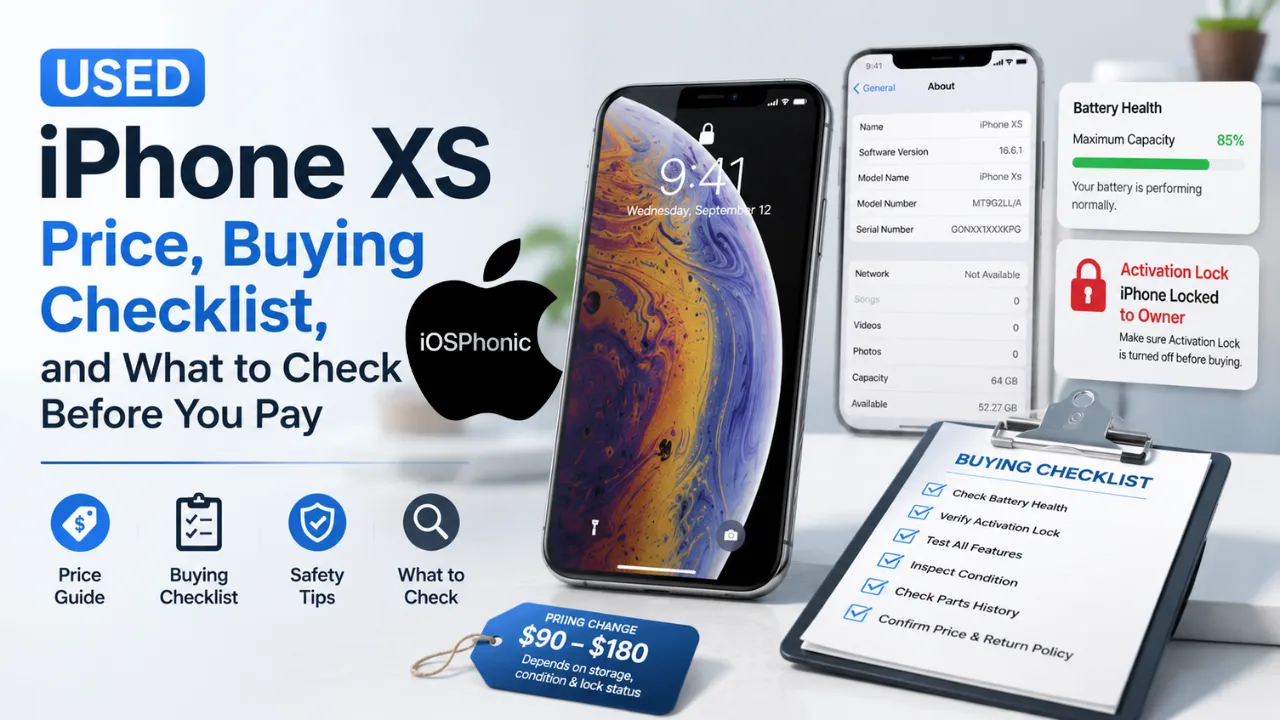
Current used iPhone XS price guide
The market is wide because conditions matter a lot. Here is a realistic current snapshot.
| Listing type | Current example | What does it tell you |
| Swappa starting price | $92 | This is a useful low-end floor for used listings. |
| Swappa average price | $180 | Many buyers are paying more than the bare minimum for cleaner units. |
| Swappa unlocked 64GB | $137 average | Good baseline for a common unlocked model. |
| Swappa unlocked 256GB | $165 average | Storage upgrades still carry a premium. |
| Back Market refurbished example | $148 for a 256GB unlocked unit | Refurbished pricing often trades a little higher for warranty and return coverage. |
| Back Market protection | 30-day returns + 1-year warranty | A big reason refurbished can be safer than a random local listing. |
What does that mean in plain English?
If a used iPhone XS is priced very close to newer models with better battery life and longer software support, the deal is weak. If the phone is clean, unlocked, and priced near the lower end of current listings, it can still make sense. Swappa also shows that the XR can start a bit lower than the XS, which is why the XS only wins when you care more about the OLED display and dual camera setup.
Where should you buy a used iPhone XS?
The safest places are sellers that show Condition Grading, return windows, and device verification. Apple recommends buying from a reliable seller, understanding the return policy, checking battery health and repair history, and inspecting the phone when it arrives. If the condition is not what was promised, return it.
A strong listing should show the exact model, storage size, color, clear photos, and some form of serial or IMEI confirmation. That is not just about trust. It helps you confirm the phone is real, not account-locked, and not hiding a major issue. Marketplace guides also stress checking the seller, the device history, and the IMEI/serial before paying.
Best buying options, from safest to riskiest
- Refurbished seller with return policy and warranty.
- Marketplace seller with grading and device checks.
- Local seller who lets you test everything in person.
- Private sale with no return, no history, and no testing.
That order is based on risk, not price.
What to check before buying a used iPhone XS
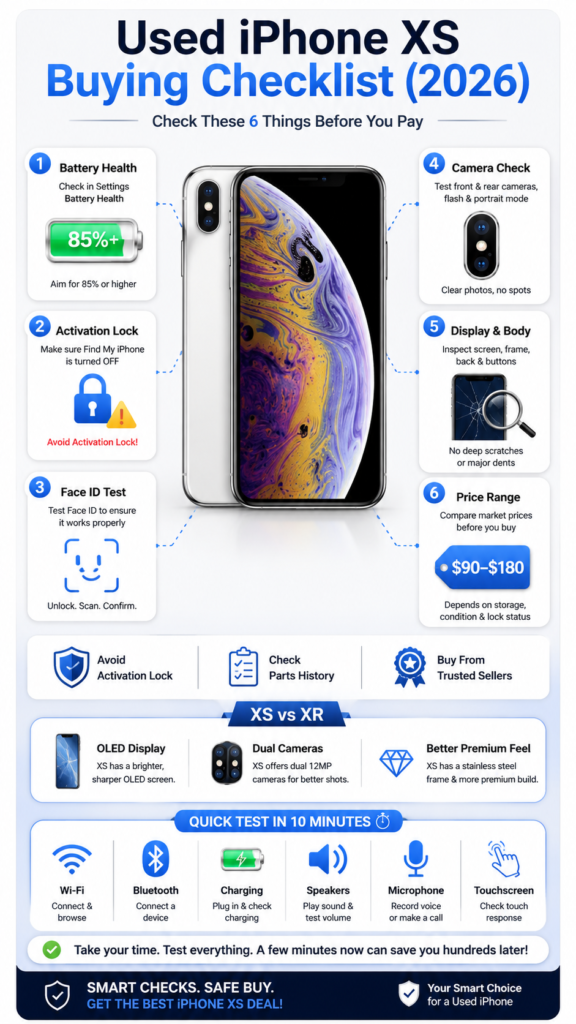
Apple’s own advice gives the basic framework: inspect the phone for physical damage, check battery health, review parts/service history, and refuse any Activation Locked device.
1) Check the body first
Look closely at the screen, frame, back glass, camera lenses, and charging port. Deep scratches, frame dents, cracked glass, port debris, or a loose button are all warning signs. Apple specifically tells buyers to inspect physical damage before purchase.
2) Check battery health
Battery wear is the highest hidden cost in older iPhones. Apple tells buyers to find out the health of the battery before purchase. A practical rule many refurbishers use is to treat anything below 80% as a warning sign, because you may need a replacement sooner rather than later.
3) Check Activation Lock immediately
If the screen says Activation Locked or Locked to Owner, stop. Apple says not to buy it. A device protected by Activation Lock is designed to prevent someone else from using it if it is lost or stolen, and it requires the original owner’s Apple Account credentials or device passcode to remove.
4) Check Parts and Service History
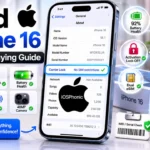
If the iPhone is on iOS 15.2 or later, open Settings > General > About and look for Parts and Service History. Apple says this area can show whether a repaired part was genuine Apple hardware, and on iPhone XS / XS Max, it can show battery repair information. That is especially useful when you are choosing between two phones that look similar from the outside.
5) Check the exact model and storage
Use Settings > General > About to confirm storage size, model number, and device identity. Apple’s model-identification support page exists specifically so you can confirm what you are actually buying.
How to test a used iPhone XS in 10 minutes
Use this quick in-person test before you pay:
- Turn it on and make sure it reaches the Home screen.
- Check Face ID.
- Open the rear camera and front camera.
- Make a call or test the speakerphone.
- Connect to Wi-Fi and Bluetooth.
- Plug in a charger and confirm it charges normally.
- Test the touchscreen across the whole display.
- Check the sound from both speakers.
- Test vibration, buttons, and mute switch.
- Open Settings > General > About and verify model, storage, and battery details.
These checks are not random. They line up with the parts of the phone that most often reveal hidden damage: display, battery, cameras, speakers, connectivity, and account status. Apple also recommends inspecting the device on arrival and returning it if the condition is not what you expected.
Common hidden problems in a used iPhone XS
| Symptom | What it often means | What to do |
| The battery drains too fast | Old battery or poor battery condition | Ask for battery health or budget for replacement. |
| Face ID does not work | TrueDepth damage, screen damage, or repair issue | Test carefully before paying. |
| Display has bright spots, burn-in, or weird color | OLED wear or replacement screen | Inspect in bright and dark scenes. |
| Activation Lock screen appears | The device is still tied to someone else’s Apple Account | Walk away unless the owner removes it in front of you. |
| Parts and Service History shows repair history | The phone may have had genuine or non-genuine parts replaced | Read the About screen before buying. |
| Charging feels loose | Lightning port wear or debris | Test with a known-good cable before paying. |
| No signal or a poor signal | Carrier lock, antenna issue, or board damage | Verify carrier status and network test in person. |
Used iPhone XS vs iPhone XR: which one is better?
If the price difference is small, the iPhone XS usually gives a better premium experience because it has the OLED display and the dual-camera system. The XR is cheaper in current Swappa pricing, but it uses a single rear camera and a different display approach. Apple’s tech specs show the XS with dual 12MP wide and telephoto cameras, while the XR has a single 12MP wide camera.
The XR does win on battery endurance in Apple’s published specs. Apple lists the XR with up to 25 hours of talk time versus up to 20 hours for the XS, plus longer internet and video playback figures. So if battery life matters more than screen quality and camera flexibility, the XR can be the smarter bargain.
Simple decision rule
Choose XS if you want a better screen and more versatile cameras.
Choose XR if you want a lower price and longer battery life.
Quick buying checklist
Before paying for a used iPhone XS, make sure all of these are true:
- The phone is not Activation Locked.
- The battery health is acceptable.
- The body and display are clean and fully functional.
- The cameras, Speakers, mic, buttons, and charging work.
- The phone is unlocked or carrier-compatible for your network.
- The listing has a return policy or at least a test window.
- The parts/service history does not raise red flags.
If more than one of those items is missing, the discount needs to be strong enough to justify the risk.
Advanced checks for a smarter purchase
If you are serious about getting the best unit, do these extra checks.
Check the battery cycle behavior
A phone with a low battery percentage can still hide poor health. Watch how fast the charge drops during a short real-world test. If it falls unusually fast while sitting idle, assume the battery is weak.
Check the screen in low light
Open a plain white screen, then a black screen, and look for burn-in, color shifts, dead pixels, or uneven brightness. OLED panels can show wear even when the front glass looks perfect.
Check iCloud and account state
Make sure the device can be erased and set up again without asking for someone else’s Apple Account. That is the safest way to confirm it is truly yours to use. Apple’s Activation Lock guidance exists for exactly this reason.
Check repair history
On a used XS, repair history matters more than cosmetic perfection. Apple says the Parts and Service History screen can show if a part was replaced with genuine Apple hardware. That helps you compare two clean-looking phones with very different internal histories.
Pros and cons of buying a used iPhone XS
| Pros | Cons |
| Compact premium design | Shorter support runway than newer iPhones. |
| OLED display still looks excellent | Battery condition can be poor on older units. |
| Dual-camera flexibility | Risk of older repairs and parts replacement. |
| Usually cheaper than newer Pro models | Vintage status means repair support depends on parts availability. |
| Great for light-to-moderate daily use | Not a great buy if you want the longest software future. |
Pro tips and hidden tricks
- Buy from sellers who clearly state return terms. Apple says to inspect the phone when you get it and return it if the condition is not what you expected.
- Compare at least two marketplaces before paying. Current prices vary widely by storage and condition.
- Prioritize battery and lock status over tiny cosmetic flaws.
- Ask for the serial or IMEI before the meetup so you can verify the listing details.
- Prefer unlocked units unless you specifically need a carrier-locked phone.
- Treat suspiciously low prices as a warning, not a bargain.
- If the seller resists basic tests, walk away.
Common mistakes to avoid
Do not buy based on price alone.
Do not skip the battery check.
Do not ignore Activation Lock.
Do not trust “like new” photos without testing.
Do not assume a shiny body means a healthy phone.
Do not skip the return policy.
Do not buy a used iPhone XS if the seller will not let you verify the device in person.
Privacy and data safety notes
Before handing over money, make sure the phone is fully erased and removed from the previous owner’s account. Apple’s guidance on Activation Lock is built around preventing stolen or lost devices from being reused without permission. If the seller still has personal data on the phone or cannot remove the device from their Apple Account, do not complete the deal.
FAQs
Yes, for basic everyday use and for buyers who want a compact premium iPhone. The catch is that it has a shorter software future than newer models.
Start with Activation Lock, battery health, physical damage, and parts/service history. Apple highlights all of these before purchase.
Current examples range from a $92 starting price on Swappa to $148 for a refurbished unlocked 256GB listing on Back Market, with higher prices for better storage and condition.
Usually yes. Refurbished listings are more likely to include grading, testing, returns, and warranty coverage. Back Market, for example, lists a 30-day return window and a 1-year warranty on the sample XS listing.
Yes. Apple lists a dual 12MP wide and telephoto camera system with 2x optical zoom, Portrait mode, Smart HDR, and dual optical image stabilization.
Conclusion
A used iPhone XS is still worth considering in 2026, but only if you buy it like a pro: check the battery, test Face ID, inspect for damage, confirm there is no Activation Lock, and insist on a fair price. Apple’s own advice is simple and still the best rule here: check physical condition, battery health, parts/service history, and return the phone if it is not what you expected.