Introduction
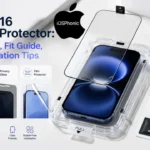
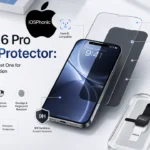
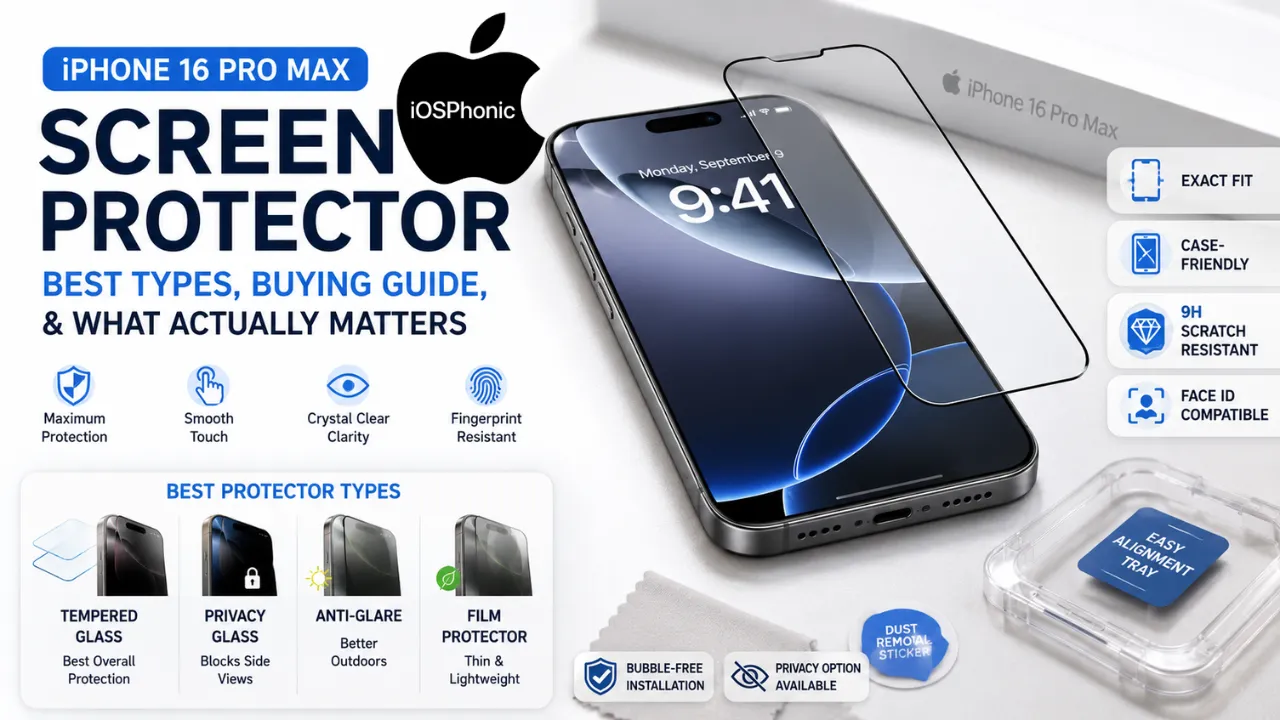
The iPhone 16 Pro Max Screen Protector market looks complicated, but the buying decision gets much simpler when you focus on the right things: exact model fit, protector material, install quality, and the one extra feature that actually matches your daily life. Apple’s iPhone 16 Pro Max has a 6.9-inch Super Retina XDR display, a titanium design, and the latest-generation Ceramic Shield front, so it is already durable. Even so, a good protector still adds a replaceable layer against scratches, scuffs, and daily wear.
Most people do not need a fancy accessory bundle. They need a protector that fits the 16 Pro Max specifically, goes on cleanly, feels smooth to use, and does not make the display look dull or cheap. Business Insider’s current roundup also reinforces two important points: first, the Pro Max needs its own protector, and second, tempered glass is still the default choice for most buyers because it is more durable and scratch-resistant than plastic options.
This guide is built to help you make the right choice quickly. You will learn which type is best, which features are worth paying for, how to install it without bubbles, and what to do if the screen feels strange afterward. The goal is simple: help you buy once, install once, and avoid regret. Google’s Search Central guidance also supports this kind of direct, people-first structure.
What is the real issue with the “iPhone 16 Pro Max screen protector”?
The real issue is not “Which brand is best?” The real issue is: which protector will fit your exact phone, protect it the way you need, and install cleanly without ruining the feel of the display?
That question matters because the iPhone 16 Pro Max is not a generic large iPhone. It has its own display size and design, so protectors made for smaller or different iPhone 16 models are not the right fit. Business Insider specifically notes that the standard iPhone 16 protector will not fit the Plus, Pro, or Pro Max versions.
Why does this problem happen
Most people buy the wrong protector for one of these reasons:
- They choose by brand name instead of exact model.
- They assume all iPhone 16 protectors are the same size.
- They do not know whether they need tempered glass or film.
- They buy a privacy protector even though they mainly use the phone at home.
- They skip installing tools and end up with dust or bubbles.
- They forget about case compatibility.
- They only look at price and ignore touch, feel or clarity.
- They want “maximum protection” but actually care more about anti-glare or fingerprint resistance.
The best protector is not the most expensive one. It is the one that matches your real use case.
How to choose the right iPhone 16 Pro Max screen protector1
1) Start with an exact model fit
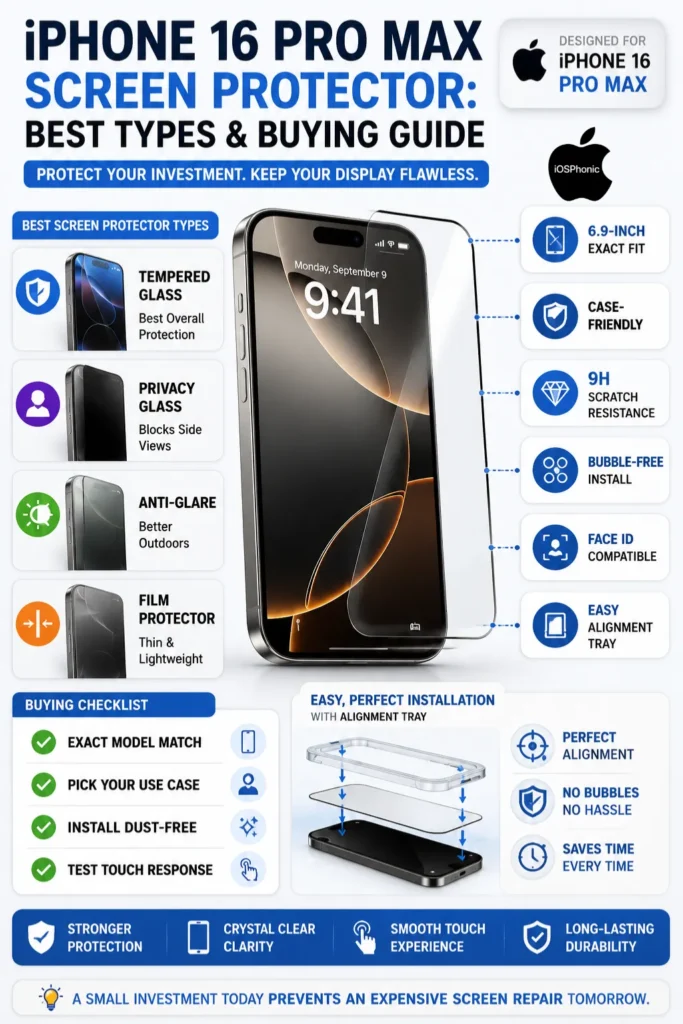
This is the first and most important rule. Buy a protector made specifically for the iPhone 16 Pro Max. Apple’s device is a 6.9-inch model, and the current SERP repeatedly shows that protectors are sold by exact model because the sizes and front layouts differ.
2) Choose tempered glass for most people
If you want the safest default choice, go with tempered glass. Business Insider says its top picks are glass models because they have proven more durable and scratch-resistant than plastic in testing. Zagg, Spigen, and OtterBox all lean heavily into glass-based protection too.
3) Pick privacy only if you actually need it
Privacy protectors make sense if you use your phone on buses, trains, planes, cafes, offices, or anywhere nearby people can glance at your screen. OtterBox’s privacy version is built to block unwanted viewing, and Spigen and Zagg also sell privacy variants for the 16 series. If you do not need side-angle privacy, do not pay extra for it.
4) Prefer an installation tray or alignment frame
A good protector is only as good as the install. Zagg highlights a dust-free adhesive and an installation tray; Spigen pushes EZ Fit trays; ESR emphasizes bubble-free installation with its UltraFit tray. That is not a small bonus. It is one of the biggest reasons some protectors feel premium, and others feel frustrated.
5) Check for case-friendly edges
If you use a case, the protector should not lift at the edges. ESR explicitly markets case-friendly designs, and this matters because even a great protector becomes annoying if the case pushes against it.
6) Look for clarity and touch response
A good protector should keep the display sharp and the touch feel smooth. OtterBox says its privacy model preserves strong scratch resistance, while ESR says its privacy protectors keep touch sensitivity smooth. Apple also provides touch troubleshooting guidance if the screen feels too sensitive or intermittent after installation.
7) Decide whether you need anti-glare or blue light filtering
These are comfort features, not core protection features. Anti-glare helps outdoors or under bright lights. Blue-light filtering may feel easier on the eyes for some users, but it should not be your first buying criterion. If scratch protection is your main goal, prioritize glass quality and fit first. This is also how the current product pages position them: as extra options, not the main reason to buy.
8) Only buy a camera lens protector if you really want one
Some bundles include camera lens protectors, and that can be useful if your phone gets tossed into bags, pockets, or rough surfaces. But for many buyers, the screen protector is the main priority. JETech’s budget bundle and ESR’s bundles both show that lens protection is an optional add-on, not a requirement for everyone.
Best iPhone 16 Pro Max screen protector types by use case
| Protector type | Best for | Why it wins |
| Tempered glass | Most users | Best default choice for protection, feel, and scratch resistance. Business Insider’s current testing favors glass over plastic. |
| Privacy glass | Commuters, office workers, travelers | Blocks side-angle viewing while keeping the front view clear. OtterBox and Zagg both offer privacy-focused versions. |
| Anti-glare glass | Bright light and outdoor use | Reduces reflections and makes the screen easier to view in sunlight. OtterBox and ESR both market anti-glare style options. |
| Film protector | Thin feel and basic scratch defense | Thinner and lighter, but usually not the strongest option for impact protection. The current editorials still lean toward tempered glass as the safer choice. |
Best screen protector picks by buying situation
| Your priority | Best choice | Why |
| Maximum durability | Zagg Glass Elite | Zagg says it uses ultra-strong aluminosilicate glass and a dust-free installation tray. |
| Easiest installation | Spigen Glas.tR EZ Fit | Spigen’s biggest advantage is the alignment tray. |
| Privacy on the go | OtterBox Premium Pro Privacy | OtterBox says it blocks unwanted viewing and adds drop protection up to 6 feet. |
| Budget-friendly value | JETech | Business Insider highlights a low-cost two-pack with optional lens protection. |
| All-around balanced value | ESR | ESR emphasizes 9H hardness, edge-to-edge coverage, and bubble-free installation. |
How to install it without bubbles or dust
A clean install matters almost as much as the protector itself. The current top brands keep repeating the same message: use the tray, align carefully, and keep dust out.
Step-by-step installation
- Wash your hands and work in a clean, bright room.
- Power off the iPhone.
- Clean the screen with the included wipe or microfiber cloth.
- Use the dust sticker if the kit includes one.
- Place the alignment tray or frame on the phone.
- Lower the protector slowly and let it settle from one edge to the other.
- Press out any remaining bubbles with the supplied card or cloth.
- Check the edges under strong light.
- Re-seat the protector if one corner lifts.
When to use this method
Use this process any time the kit includes a tray or frame. That includes Zagg, Spigen, and ESR-style installs. These systems are especially helpful for first-time buyers because they reduce alignment mistakes.
Quick fix checklist
- Confirm it says iPhone 16 Pro Max, not just “iPhone 16.”
- Choose Tempered Glass unless you have a specific reason not to.
- Use a kit with an alignment tray.
- Make sure the protector is case-friendly.
- Skip privacy features unless you need them.
- Check for dust before pressing it down.
- Test touch response after installation.
- Keep the receipt or spare protector if the brand offers one.
What to do if the screen feels odd after installation
If touch response feels off, first test the phone with the case and protector removed. Apple says that when a screen is too sensitive or responds intermittently, you should restart the device, make sure the screen is clean and free of debris or water, disconnect accessories, and remove cases or screen protectors while testing.
If Face ID ever seems affected, check Face ID settings and make sure nothing is physically covering the TrueDepth camera area. Apple says Face ID settings live under Settings > Face ID & Passcode, and its troubleshooting guidance for Face ID issues includes checking for anything covering the TrueDepth camera, such as a smudge, case, or screen protector.
Advanced fixes
1) Reinstall the protector
If there is a big bubble, dust speck, or misalignment, remove it and start again. A slightly crooked install can make even an expensive protector feel cheap.
2) Test the phone without the protector
If touch feels laggy, test the screen directly. Apple’s troubleshooting flow uses this exact approach.
3) Check accessibility settings
If taps, swipes, or touch duration feel unusual, Apple lets you adjust touch behavior under Settings > Accessibility > Touch > Touch Accommodations.
4) Confirm the case is not pushing the edges
If the protector starts lifting after a case install, the case may be too tight for the protector. Switch to a case-friendly protector or a more compatible case.
5) Replace damaged glass early
A cracked protector should be replaced quickly. The point is to protect the actual display underneath, not to keep using broken glass.
Pros and cons of tempered glass vs film
| Type | Pros | Cons |
| Tempered glass | Better protection, better feel, better scratch resistance, more premium touch experience. | Slightly thicker than film and may need careful case compatibility. |
| Film | Thinner, lighter, often cheaper. | Usually less durable and less confidence-inspiring for drops and scratches. Business Insider’s current editorials still favor glass for durability. |
Pro tips and hidden tricks
- Buy the protector and case together when possible.
- Pick the same ecosystem when you can, because brands often design trays, glass edges, and case Cutouts to work together.
- Replace the protector when the top layer gets deeply scratched.
- Keep a spare protector if you travel often.
- Use the installation tray even if you think you can eyeball it.
- Check the protector in bright light after installation.
- Do not chase “more features” if you mainly want protection.
Common mistakes to avoid
- Buying the wrong iPhone model.
- Thinking privacy is better than protection in every case.
- Ignoring install tools.
- Using a protector that fights with your case.
- Choosing a film just because it is cheap.
- Expecting a protector to fix a cracked display.
- Leaving bubbles, dust, or lifted edges in place.
Privacy, data safety, and usability notes
Privacy protectors can help when you are using banking apps, messages, or email in public, but they can also make the screen darker from side angles. That tradeoff is the whole point of the feature. For sensitive tasks, privacy can be worth it. For pure display clarity, standard glass is usually the better buy.
If you are trying to solve a real device problem, remember that Apple’s own screen troubleshooting recommends checking the phone without the protector installed first. That is the safest way to separate a protector issue from a real screen issue.
FAQs
No. The iPhone 16 Pro Max uses its own 6.9-inch design, and Business Insider says protectors for other iPhone 16 models do not fit it correctly.
For most people, yes. Current editorial testing favourts tempered glass because it is more durable and scratch-resistant than plastic alternatives.
A good protector should feel close to normal, but if touch seems off, Apple recommends cleaning the screen, restarting the device, and removing cases or screen protectors during testing.
A properly installed protector should not be the first thing you blame. If Face ID has trouble, Apple tells you to check Face ID settings and look for anything covering the TrueDepth camera, including a case or screen protector.
Only if the feature solves a real problem for you. Privacy is best for public viewing, anti-glare helps in bright light, and blue-light filtering is more of a comfort add-on than core protection.
Conclusion
The best iPhone 16 Pro Max screen protector is not the flashiest one. It is the one that fits the phone exactly, installs cleanly, feels good to use, and matches how you actually use your device every day. Apple’s 16 Pro Max is already built with a Titanium design and Ceramic Shield front, but the right protector still adds practical, replaceable defence against scratches and daily wear.