Introduction
If you are searching for an iPhone 15 Pro Max Unlocked, you are probably not just shopping for a phone. You are trying to avoid carrier traps, keep your options open, and make sure you do not overpay for a device that is secretly tied to one network. That is the real problem behind this keyword.
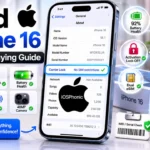
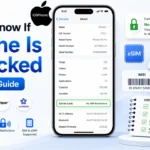
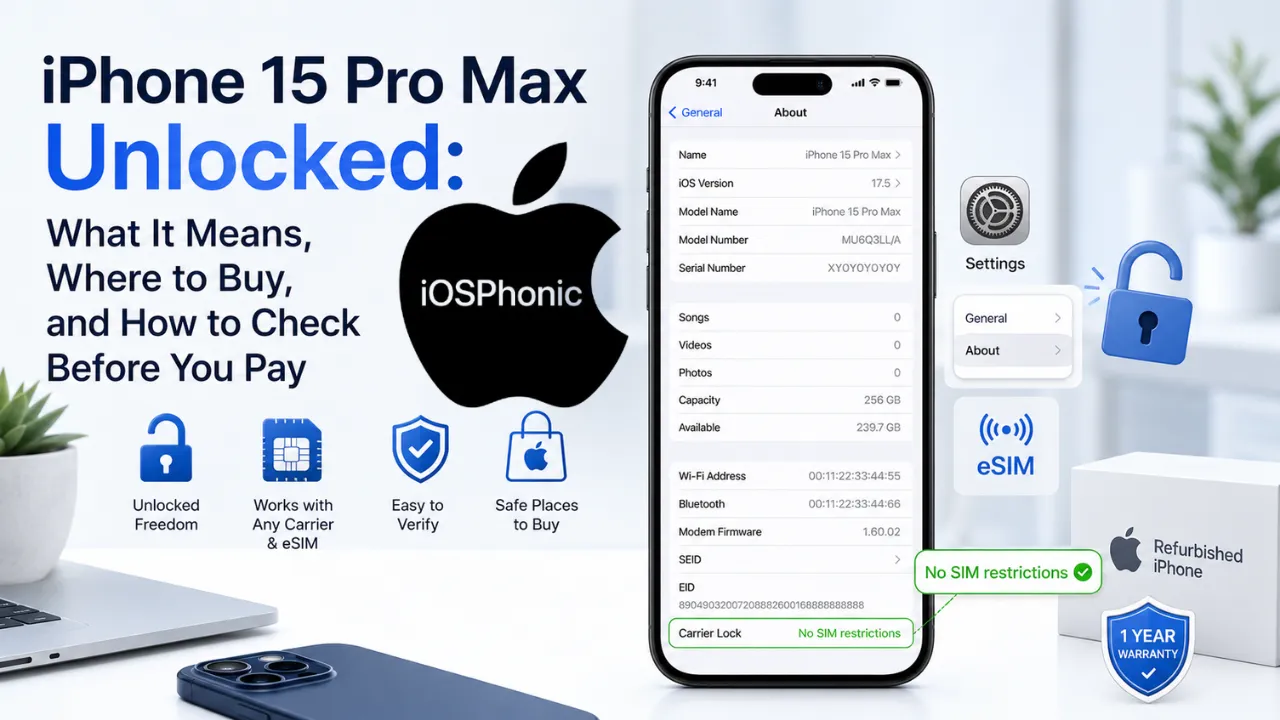
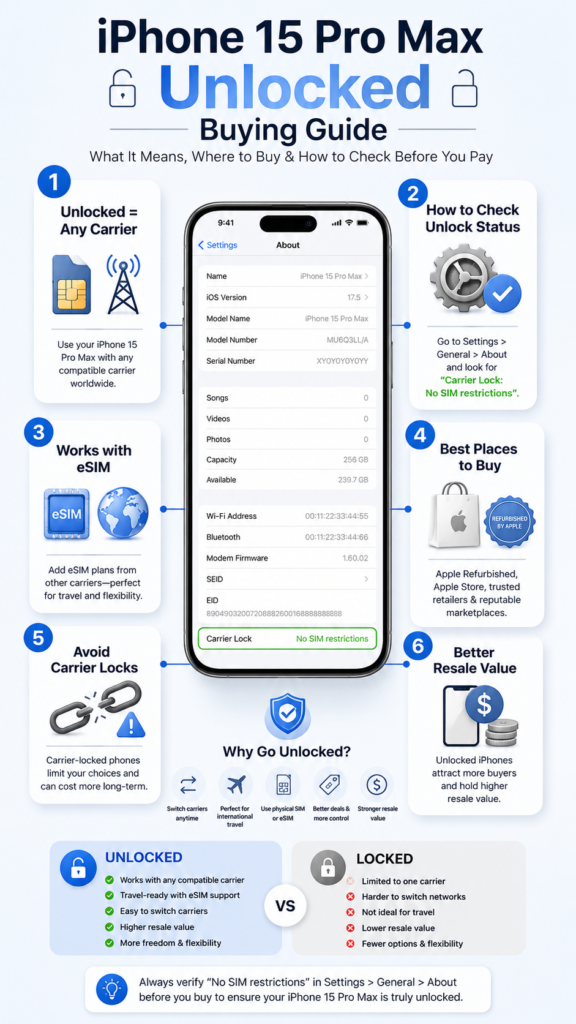
The good news is that Apple gives a very clear way to verify lock status. On an iPhone, go to Settings > General > About and check Carrier Lock. If it says No SIM restrictions, the device is unlocked. Apple also says unlocked iPhones can use eSIM plans from other carriers, and Apple’s own online store says iPhones bought directly from Apple are unlocked except for a few carrier financing options.
That matters because the iPhone 15 Pro Max is still a premium device by today’s standards: Apple lists its 6.7-inch Super Retina XDR display, A17 Pro chip, 5x optical zoom, USB-C with USB 3 support up to 10Gb/s, and up to 29 hours of video playback on the official tech specs page.
This guide explains what unlocked really means, where to buy safely, how to check before you pay, and what mistakes to avoid.
What does “unlocked” mean on iPhone 15 Pro Max?
An unlocked iPhone 15 Pro Max is not tied to one carrier. That means you can usually move between carriers more easily, use compatible eSIM plans, and resell the device later with fewer restrictions. Apple’s own support pages say that if your iPhone is unlocked, you can use eSIM plans offered by other carriers, and Apple’s buy page says unlocked iPhones are free to use with the carrier of your choice.
Featured snippet answer:
Unlocked means the iPhone is not restricted to a single carrier. You can use it with another compatible carrier, and Apple says to confirm this by checking Settings > General > About > Carrier Lock for No SIM restrictions.
iPhone 15 Pro Max unlocked vs carrier locked vs factory unlocked
| Term | What it usually means | What you should verify |
| Unlocked | The phone is not tied to one carrier | Check Carrier Lock in Settings and look for No SIM restrictions |
| Carrier locked | The device is restricted to a carrier until that carrier releases it | Ask the carrier when it will unlock |
| Factory unlocked | A seller phrase that usually means unrestricted at sale | Do not trust the phrase alone; verify in Settings |
Apple’s official check is still the safest test: Settings > General > About > Carrier Lock. If it says No SIM restrictions, the iPhone is unlocked.
A useful buying rule: the label on the listing matters less than the lock status on the device.
Why buyers choose an unlocked iPhone 15 Pro Max
People usually choose unlocked because it gives them more control. The main reasons are:
- Switching carriers without replacing the phone
- Using travel eSIMs
- Avoiding long-term contracts
- Protecting resale value
- Buying refurbished from a wider set of sellers
Apple’s eSIM support pages make this especially useful for travelers and people who change networks often. Apple says unlocked iPhones can use eSIM plans from other carriers, and its travel guidance notes that an unlocked eSIM-only iPhone can be activated with carriers around the world, subject to carrier support and compatibility.
Why the iPhone 15 Pro Max still matters in 2026
The iPhone 15 Pro Max is not “old” in the way many buyers think. Apple’s official specs still position it as a high-end phone with premium hardware:
- 6.7-inch Super Retina XDR display
- A17 Pro chip
- Pro camera system with 5x optical zoom
- USB-C connector with USB 3 up to 10Gb/s
- Up to 29 hours of video playback
That makes it a strong buy for people who want flagship features without paying for the newest model.
What current search results miss
The current result set is mostly commerce-first, not buyer-education-first. Best Buy and Walmart surface lots of inventory; Costco returns no match; Swappa is mainly marketplace listings; and AppleMagazine is a broad promotional article rather than a verification guide.
That creates five common weaknesses:
- They do not explain what unlocked actually means.
- They often fail to show how to verify the lock status after purchase.
- They rarely explain the difference between unlocked and factory unlocked.
- They do not build trust around refurbished condition, warranty, and battery health.
- They usually skip the eSIM/travel use case, which is one of the biggest reasons people want unlocked phones.
Best places to buy an unlocked iPhone 15 Pro Max
| Buying option | Best for | Trust signals | Watch out for |
| Apple refurbished | Buyers who want the safest used/refurbished option | Apple says refurbished iPhones include a 1-year warranty, a new battery, a new outer shell, and a new white box | Stock changes fast, and some financing options are limited |
| Apple direct | Buyers who want new and unlocked | Apple says every iPhone bought online or in-store is unlocked, except a few carrier financing options | Some carrier deals may still affect lock status |
| Major retailers/marketplaces | Buyers chasing lower prices | Wider inventory and price range | Condition, warranty, and seller quality vary a lot |
Apple’s refurbished iPhone 15 Pro Max store currently lists unlocked models and says refurbished iPhones include the same one-year warranty as a brand new iPhone, plus all manuals and accessories, a new battery and outer shell, and a new white box.
Apple also says that iPhones bought online or in an Apple Store are unlocked, except for a few carrier financing options. Separately, Apple says an iPhone purchased with Apple Card Monthly Installments is always unlocked, but that program is not available for refurbished devices.
That last detail matters: many shoppers assume every Apple financing path is the same, but Apple’s own rules are more specific.
How to check whether an iPhone 15 Pro Max is actually unlocked
1) Check the About screen
Go to Settings > General > About and look for Carrier Lock. Apple says No SIM restrictions means the phone is unlocked.
2) Confirm that the seller’s wording matches the device status
A listing can say “unlocked,” “carrier unlocked,” or “factory unlocked,” but those phrases are not a substitute for the actual settings check. Apple’s About screen is the cleanest proof.
3) Test another SIM or eSIM
Apple says unlocked iPhones can use eSIM plans from other carriers. If the device is compatible and the carrier supports it, that is another strong confirmation step.
4) Ask for the IMEI and return policy before paying
This is a practical buyer safeguard, especially for used and refurbished units. A lock-status screenshot is helpful, but a return policy gives you leverage if the listing was misleading.
5) Make sure the device is not tied to a special financing condition
Apple notes that some carrier financing options are exceptions to the unlocked rule.
Quick lock-check checklist
Use this before you pay:
- Ask for a screenshot of Settings > General > About
- Confirm Carrier Lock: No SIM restrictions
- Verify the listing says unlocked and not just “compatible.”
- Check the return window
- Confirm warranty length
- Ask whether the unit is refurbished, pre-owned, or new
- Check whether the carrier supports your eSIM plan
When unlocked is the right choice
Unlocked makes the most sense if you:
- Switch carriers often
- Travel internationally
- Buy refurbished phones
- Want to resell later
- Dislike long-term contracts
Apple’s eSIM guidance is especially relevant here because unlocked devices can use eSIM plans from other carriers, including international service providers where supported.
When carrier-locked might be better
There are a few cases where a carrier-locked phone may still make sense:
- You are getting a very large carrier discount
- You are comfortable staying with one network
- The Carrier Includes a strong trade-in or bill-credit deal
Apple says it can also offer carrier deals and trade-in credit through its own store, so the “buy unlocked” decision should be based on the full cost, not just the sticker price.
Pros and cons of buying the iPhone 15 Pro Max unlocked
Pros
- easier carrier switching
- better for travel and eSIM
- usually stronger resale value
- fewer long-term restrictions
- easier to compare sellers
Cons
- Often, a higher upfront cost
- Financing rules can be more complex
- You must verify the listing more carefully
- Some carrier promotions are tied to lock conditions
Advanced buying tips that save money and avoid mistakes
Tip 1: Buy from the channel that matches your risk tolerance
Apple refurbished is the safest used option because Apple adds a warranty, a new battery, a new shell, and accessories.
Tip 2: Do not pay for “factory unlocked” unless the seller proves it
The phrase sounds strong, but the real proof is the lock status in Settings. Apple’s own guidance is the easiest way to verify.
Tip 3: Check eSIM support before buying for travel
Apple says unlocked iPhones can use eSIM plans from other carriers, but the carrier still has to support eSIM on the plan you want.
Tip 4: Use the model’s hardware strengths as part of your value check
The iPhone 15 Pro Max still offers a 6.7-inch display, A17 Pro chip, 5x optical zoom, and USB 3 speeds up to 10Gb/s, which makes it a strong value if the price is right.
Tip 5: Know the financing rule before checkout
Apple Card Monthly Installments makes an iPhone always unlocked, but that program is not available for refurbished devices.
Common mistakes to avoid
- trusting the listing language without checking the device
- forgetting to ask about the return policy
- assuming every Apple financing path is unlocked
- skipping the eSIM compatibility check
- buying refurbished without confirming warranty terms
- confusing “unlocked” with “compatible with every carrier.”
Privacy and data safety notes
If you buy a used or refurbished iPhone 15 Pro Max, make sure the seller signs out of Apple ID and removes Activation Lock before shipping. A clean device should be ready for setup, not stuck on someone else’s account. Apple’s setup and trade-in pages also emphasize data erasure and safe transfer when moving to a new iPhone.
FAQs
Not always. Apple says iPhones bought online or in an Apple Store are unlocked except for a few carrier financing options.
Open Settings > General > About and check Carrier Lock. If it says No SIM restrictions, the iPhone is unlocked.
In practice, both usually mean that the phone is not tied to a single carrier. The safe move is still to verify the device in Settings, because seller labels can be loose. Apple’s official check is the trusted one.
Yes, if the carrier supports the plan. Apple says unlocked iPhones can use eSIM plans from other carriers, and its eSIM setup pages explain the activation methods.
Apple’s refurbished iPhone 15 Pro Max listings are marked as Unlocked, and Apple says refurbished iPhones include a one-year warranty, a new battery, a new outer shell, and accessories.
Conclusion
The best way to buy an iPhone 15 Pro Max unlocked is to stop trusting labels and start trusting proof. Apple’s official rule is simple: check Settings > General > About > Carrier Lock, and if it says No SIM Restrictions, the device is unlocked. Apple also confirms that unlocked iPhones can use eSIM plans from other carriers, which makes them especially useful for travelers and switchers.