Introduction
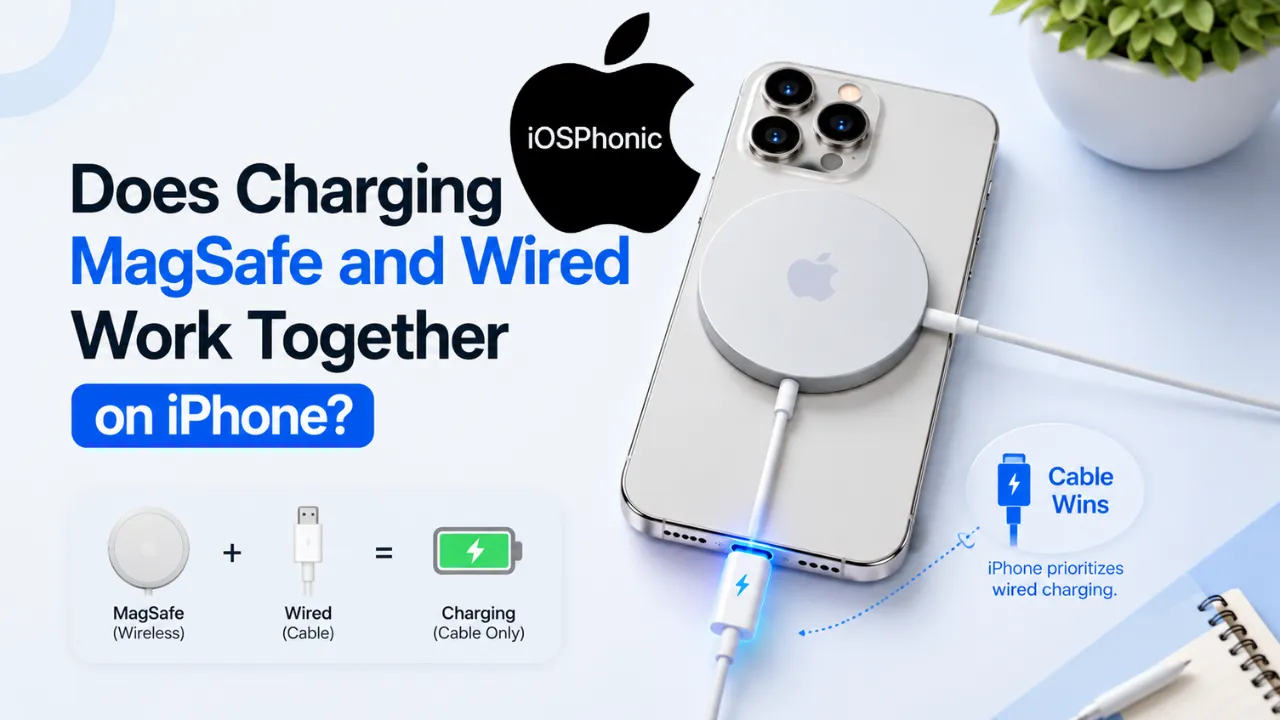
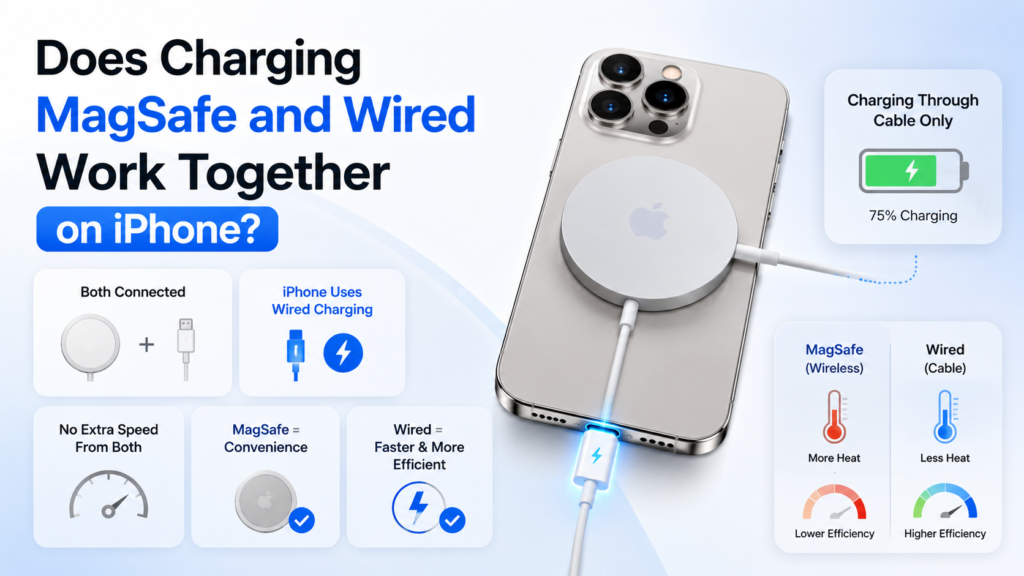
A lot of iPhone users ask the same thing differently: Does Charging MagSafe and wired work together on the iPhone? The short answer is yes, you can connect both at once, but your iPhone does not combine them for extra charging speed. Apple says that when an iPhone is connected to both a MagSafe Charger and power through its Lightning or USB-C connector, the phone charges through the connector instead.
That matters because many people assume two chargers must be better than one. In real use, the iPhone simply picks the wired path. So this is not a “double power” trick. It is a priority system, and the cable wins. Apple also notes that MagSafe charging can make the device slightly warmer, and if the battery gets too warm, charging may be limited to 80 percent to protect battery life.
If your goal is speed, efficiency, and the least heat, wired charging is usually the better choice. If your goal is convenience, alignment, and a cleaner desk or nightstand setup, MagSafe still makes sense. This guide explains what really happens, why it happens, and how to choose the best charging method for daily use.
What is the “MagSafe and wired together” issue?
This issue is simpler than it sounds. It happens when an iPhone is attached to a MagSafe charger while also plugged into a charging cable. Many users want to know whether the phone uses both sources at once or whether one takes priority. Apple’s answer is straightforward: the iPhone charges via the connector when both are connected.
For older iPhones, that connector is Lightning. For newer iPhones, it is USB-C. Apple’s current iPhone technical specs show USB-C charging on modern models, while the MagSafe support page still refers to Lightning or USB-C as the active connector depending on the model.
So the real issue is not whether MagSafe and wired charging can physically coexist. They can. The real issue is whether the iPhone uses both for a speed boost. It does not. The cable takes priority.
Why this happens
Apple’s charging system is built to manage power, heat, and battery health automatically. iPhone charging is designed to fast-charge up to about 80 percent, then slow down to reduce stress and heat. Apple also says charging may pause or slow when the battery temperature gets too high, and partial charging during the day does not harm the battery.
Here are the main reasons the wired path wins:
- Wired charging is the direct path into the phone.
- MagSafe is still wireless charging, so it is more sensitive to heat and alignment.
- Apple’s system is designed to avoid unnecessary heat buildup.
- iPhone battery management prioritizes stable charging over stacking sources.
The real answer in one line
Yes, both can be connected, but the iPhone charges through the wired connector and does not combine MagSafe and cable power for faster charging.
What actually happens when both are connected?
When both a MagSafe charger and a cable are attached, the iPhone uses the cable as the active charging source. Apple states this directly in its support documentation. That means MagSafe is not giving you extra speed on top of the cable.
This is why the setup feels confusing to many users. The MagSafe puck may still be attached, and everything may look like it should be charging “twice,” but the phone is not stacking the wattage. It is choosing the connector path instead.
Is it safe to use MagSafe and wired charging at the same time?
Apple documents this behavior as normal charging behavior and does not present it as a dangerous setup. Its support pages describe the connector priority and also include standard wireless charging warnings about heat and proper charger placement. In other words, the setup is generally treated as harmless, but also unnecessary.
The most important safety point is heat management. Apple says the iPhone or MagSafe charger may become slightly warmer while charging, and charging can be limited above 80 percent when the battery gets too warm. Apple also says to keep the iPhone, cables, adapters, and wireless chargers in a well-ventilated area.
Does using both charge the iPhone faster?
No. Apple’s support page shows that the iPhone uses the connector when both are connected, so MagSafe does not add speed on top of the cable. That is the central fact most people are looking for.
There is also a practical reason this answer matters. Apple’s wireless charging documentation says MagSafe can deliver up to 25W on supported newer models with the right adapter, while iPhone 15 and earlier can get up to 15W on supported setups. But when the cable is plugged in, the connector takes over, so the question is not “How much combined power do I get?” It is “Which path is active?”
Wired vs MagSafe: which is better?
It depends on what you want.
| Situation | Better choice | Why |
| You need the fastest practical charge | Wired | The iPhone uses the connector when both are attached, and wired charging is the direct path. |
| You want less fuss on a desk or nightstand | MagSafe | Magnetic alignment makes placement easy and convenient. |
| You want the least heat | Wired | Wireless charging can run warmer, and heat can slow charging above 80 percent. |
| You want a clean stand setup | MagSafe | The snap-on design is better for stand-based use. |
| You want the best daily speed/efficiency balance | Wired | Apple positions wired charging as the more direct option, while MagSafe is the convenience option. |
How to fix slow or confusing charging step by step
Even though this keyword is mostly about priority, people often ask it because their iPhone seems to charge more slowly than expected. Use these fixes when the phone is charging, but not as fast as you want.
1) Disconnect one charger and test the cable alone
Unplug MagSafe and charge with only the cable. This is the fastest way to confirm whether the cable is the active path and whether the adapter is working properly. Apple says the phone charges through the connector when both are attached.
Use this fix when you want a clean answer to one question: “Is MagSafe interfering with anything?” If charging looks normal with the cable alone, the cable is fine, and MagSafe was simply not adding speed.
2) Check the adapter wattage
Apple’s MagSafe documentation says faster wireless charging requires the right adapter, and the supported wattage differs by iPhone model. On newer models, Apple lists up to 25W wireless charging with a 30W or greater adapter; on iPhone 15 and earlier, it lists up to 15W with the appropriate adapter.
If your adapter is weak, old, or not well-matched to your iPhone, charging can feel much slower than expected. Apple also notes that a wired charger at 7.5W or less and a wireless charger under 10W can lead to longer charge times.
3) Keep the phone cool
Heat is a major charging limiter. Apple says iPhone may charge more slowly or even pause charging temporarily in extreme temperature conditions, and wireless charging can make the device slightly warmer. If the battery gets too warm, charging above 80 percent may be limited.
Take the case off, move the phone out of direct sunlight, and avoid charging on a blanket, pillow, or other heat-trapping surface. Apple’s safety guidance specifically recommends a well-ventilated area.
4) Use the cable when speed matters
If the goal is speed, do not overcomplicate it. Plug the iPhone in and let the cable do the job. Apple’s current support pages make it clear that when both are attached, the connector wins.
This is the best choice for travel, rushed mornings, or a quick top-up before leaving home. It is also the simplest answer for anyone who wants maximum efficiency with minimal heat.
5) Remove metallic or sensitive items from the charging area
Apple warns not to place credit cards, Security Badges, passports, or key fobs between the iPhone and MagSafe charger because the magnets or field may damage magnetic strips or RFID chips. That is a real safety and data-protection concern.
If you use a case that holds cards or badges, remove them before charging. This is especially important with desk stands, car mounts, and bedside charging pads.
6) Check the cable and port for debris or damage
If the cable is not seated correctly or if the port is dirty, the iPhone may not charge as expected. Apple’s safety guidance says to avoid charging if there is moisture in the port and to use damaged cables and chargers only if they are not damaged; otherwise, stop using them.
A quick visual check is often enough. Look for lint in the port, frayed cable ends, loose connectors, or unusual warmth near the cable.
7) Use the battery screen to watch for charging behavior
Apple’s battery settings can show whether the iPhone is charging normally, and on supported software, Apple also shows charge-time estimates and slow-charger warnings. That helps you tell the difference between a true charger problem and normal battery behavior above 80 percent.
If your phone says it is charging slowly, that does not always mean something is broken. It may simply mean the adapter cannot deliver the best power for your iPhone.
8) Update iPhone if charging behavior feels odd
Charging logic is controlled by iOS. If behavior seems inconsistent, an update can help rule out software glitches or battery-management bugs. Apple’s charging and battery features are managed by the operating system, including charge limits and thermal protections.
This is not the first fix I would try for a normal “MagSafe plus cable” question, but it matters if charging seems unstable, slow, or unexpectedly pauses.
9) Turn on the charging method you actually want to use
If you want wired charging, plug in the cable and remove MagSafe. If you want MagSafe convenience, leave the cable out. That is the easiest way to avoid confusion because Apple’s behavior is priority-based, not combined-power-based.
10) Contact Apple support if the phone still behaves abnormally
If your iPhone still refuses to charge correctly after trying another cable, another adapter, and a cooler location, the issue may be hardware-related. Apple’s documentation points users to support resources when battery or charging behavior remains unusual.
Quick fix checklist
- Use the cable alone to confirm the active charging path.
- Swap in a known-good adapter and cable.
- Keep the iPhone cool and ventilated.
- Remove cards or RFID items from MagSafe.
- Check for moisture, lint, or damage in the port.
- Use wired charging when speed matters.
Advanced fixes for power users
A. Match your setup to the model
Apple’s current MagSafe guidance is model-specific. Newer models can reach up to 25W wireless charging with the right adapter, while iPhone 15 and earlier are listed up to 15W for faster wireless charging. iPhone 16 Pro Max tech specs also show fast-charge support with a USB-C cable and 20W adapter or higher, and MagSafe wireless charging up to 25W with a 30W adapter or higher.
That means “best charger” is not a one-size-fits-all answer. It depends on your iPhone model, your adapter, and whether you care more about convenience or speed.
B. Watch the 80 percent behavior
Apple explains that iPhone fast-charges up to about 80 percent, then slows to protect the battery. If your phone seems to “stall” after 80 percent, that is often normal behavior, not a failure.
This is especially important for wireless charging, because heat can make the final part of charging even slower. Apple explicitly says charging may be limited to 80 percent when the battery gets too warm.
C. Use charge limits wisely
Apple now lets users set charge limits on supported iPhones, and Optimized Battery Charging is available by default on supported setups. For long-term battery life, this can be more valuable than chasing the highest possible charger wattage every single day.
D. Separate convenience from performance
MagSafe is great when you want a clean dock, easy alignment, and a snap-on experience. Wired charging is better when performance and heat control matter more. Apple’s own pages reflect that split by positioning MagSafe as efficient wireless charging and the cable as the direct charging path.
Pros and cons
MagSafe
Pros
- Easy magnetic alignment.
- Great for stands, Desks, and nightstands.
- Cleaner setup with fewer plug-in/out cycles.
Cons
- Can get warmer than wired charging.
- Does not add speed when a cable is already connected.
- May slow above 80 percent if the phone gets too warm.
Wired
Pros
- Direct charging path.
- Better for fast top-ups and less heat.
- More predictable when speed matters.
Cons
- Less convenient than snapping on a magnetic charger.
- More cable clutter.
- Requires plugging and unplugging.
Common mistakes to avoid
- Thinking MagSafe and wired charging “add up” for faster speed. They do not.
- Leaving the phone in a hot environment while charging. Apple warns that heat can affect charging and battery lifespan.
- Using a weak or mismatched adapter. Apple notes that lower-power chargers can slow charging.
- Keeping cards or passes between the phone and MagSafe. Apple warns this can damage magnetic strips or RFID chips.
- Assuming slow charging always means damage. Often, it is just normal battery protection or an underpowered adapter.
Privacy and data safety notes
This is one of the most overlooked parts of MagSafe charging. Apple warns against placing credit cards, security badges, passports, or key fobs between the iPhone and MagSafe charger because magnetic strips and RFID chips can be affected. That is why cardholder cases should be removed or checked before charging.
If you use MagSafe on a desk or in a car, keep metal objects away from the charging area. Apple also advises keeping charging accessories in a well-ventilated space and avoiding heat-trapping surfaces.
Featured snippet answer
Yes, you can use MagSafe and a cable at the same time on an iPhone, but the phone charges through the wired connector instead of combining both sources for extra speed.
FAQs
Yes. Apple says the iPhone charges via the connector when both are connected.
No. The phone does not combine both sources to boost speed. The cable takes priority.
Apple does not frame MagSafe as harmful. It does note that wireless charging can make the device warmer and that charging may be limited above 80 percent when temperatures rise.
Use wired charging when speed and efficiency matter most. Use MagSafe when convenience and alignment matter more.
Yes. Apple’s current documentation refers to Lightning or USB-C as the connector that takes priority, depending on the model. Modern iPhones also use USB-C for charging.
Conclusion
Here is the clean answer: MagSafe and wired charging can be connected at the same time on iPhone, but the iPhone charges through the wired connector and does not combine both for extra speed. That is Apple’s current guidance, and it is the most useful answer for anyone trying to decide how to charge their phone day-to-day.